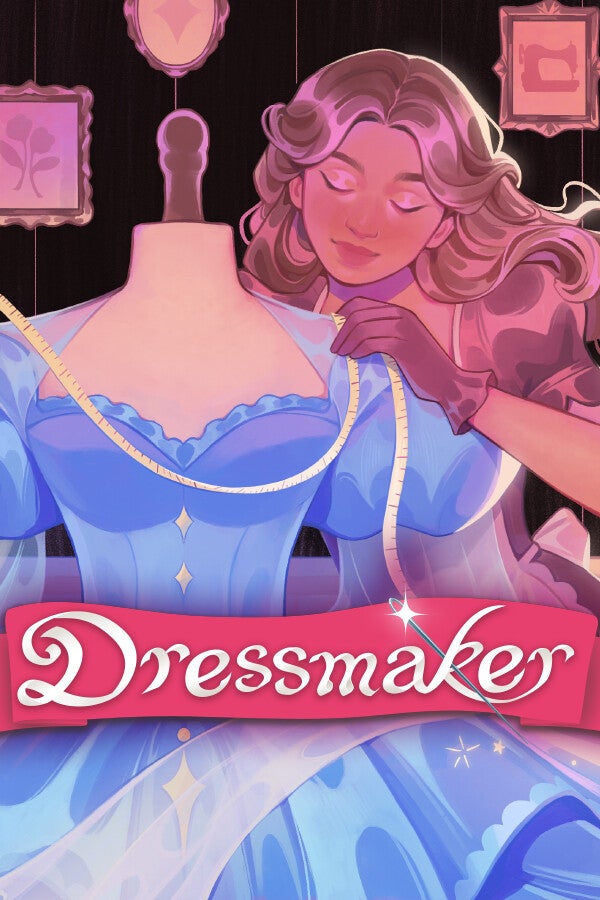




I have a few people in my life that have invested time into the fabric world a sewing. My Grandmother on one side is an arts and crafty person. She is always coming up with new creative projects and many require sewing. My Grandmother on the other side is an excellent seamstress and she used to own her own business. I have taken many a piece of clothing to her for fixing or hemming. I have also had my mother help me out with some sewing items in a pinch. I myself am ok with the needle and thread, but inside of Dressmaker I felt really felt like I was creating some really amazing designs.
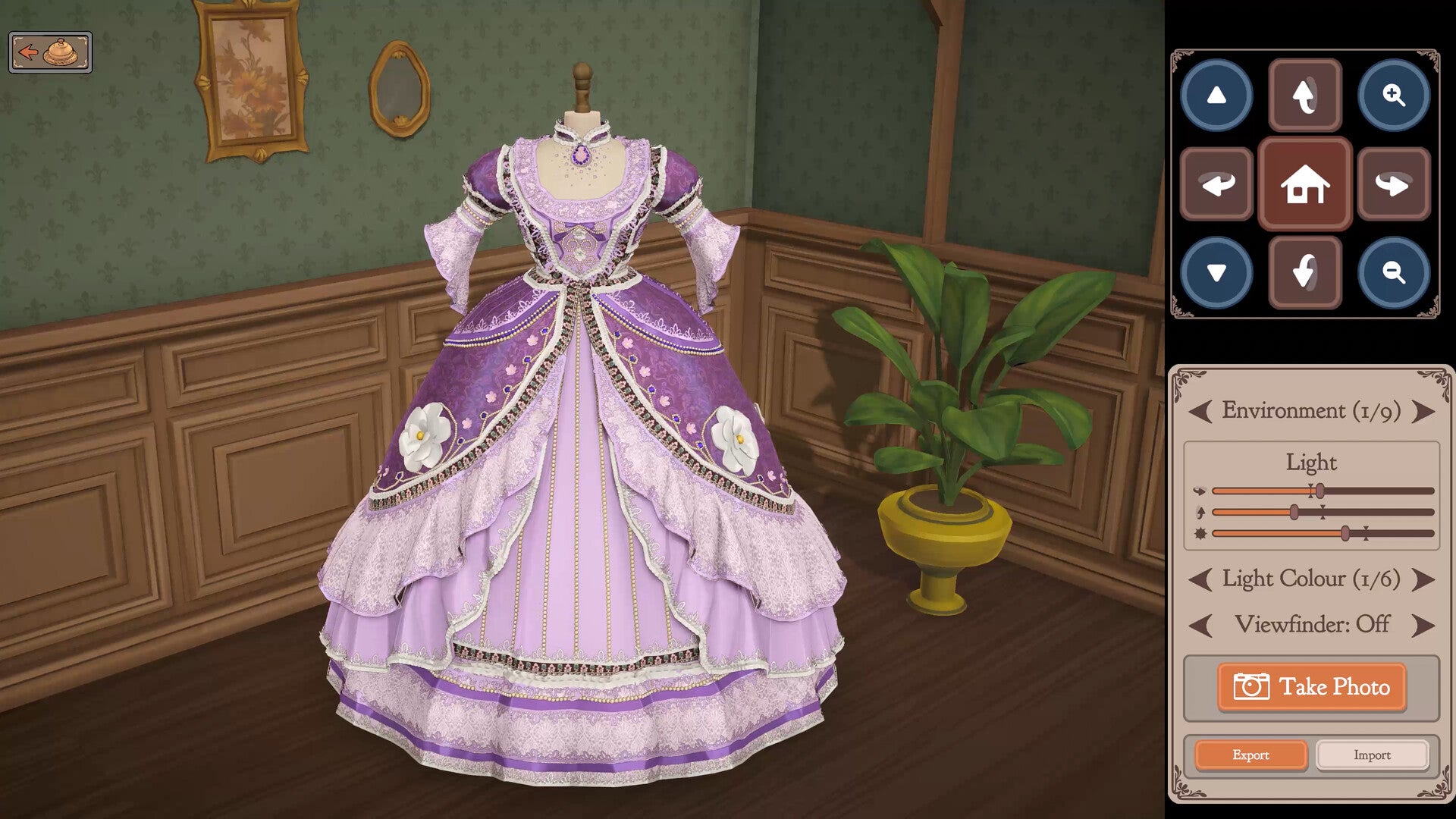
Dressmaker is a cozy seamstress simulation game that I feel respects the skill needed to actually create beautiful attire while making it easily accessible to those that have little to no experience. If you are even passingly interested in the world of sewing and clothes making, Dressmaker is a great introduction to the art. It uses the terminology of the craft, the machines and tools required, along with some of the technical skills needed to create. The best part is because it is digital, you don’t have to own a large studio to house all the machines and bolts of fabric and you don’t have to dole out stacks of cash to replace the bolts of fabric you messed up while learning to sew.
Again, Dressmaker really gets what it takes to be a seamstress and the thought and skill that is actually required of the craft. One of those things is pattern placement on the fabric. You can’t just throw a pattern down and cut. You need to really think about how to organize and rotate the pattern to make sure you not only use as much space of the fabric you can, but also make sure you are not cutting along the bias and the fabrics grain. For those that are not into the fabric world, much like cutting meat, cutting along the grain will make the fabric feel stiff and uncomfortable. However, depending on the pattern you may need to cut along the bias so you will have to keep that in mind when placing you pattern. But as in real life, some fabrics are more forgiving than others so the fabric choice also matters.
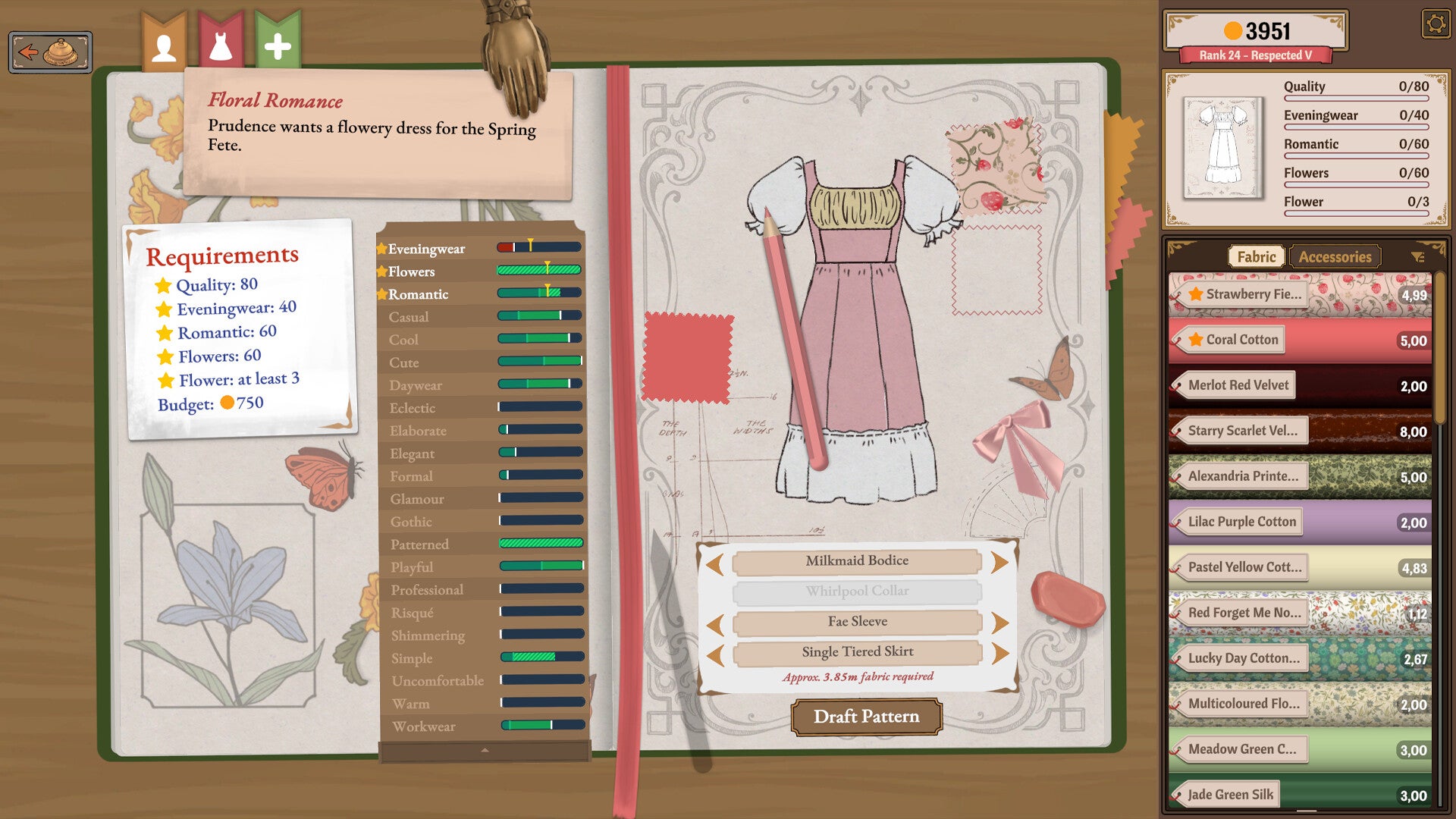
The overall gameplay loop really lives in the cozy world. If you have ever played Strange Horticulture, you will understand this game. You own a fabric store and customers come in asking for custom designed clothes. To make sure you are giving the customer what they want, each customer has requirements for their garments. Things like quality, eveningwear, Casual, gothic, flowers, simple, and dozens of other categories. Things like the fabric, the pattern, the cut, and how well you sew the pieces all contribute to increasing or decreasing these requirement sliders. I especially enjoy that these items are starred in the different screens throughout so I don’t have to keep going back to a slip or order sheet to remember what I am trying to design. The beginning tutorial does a great job in explaining how to affect these requirements, so it is really worth going through it.
From the main screen behind your shops counter you will access all of you stations. The transitions to each station was smooth and easy to follow. It felt weird to me that when you press the “ESC” button you are only taken to the settings menu and not back you out of the current screen you are in. To move out of the stations and into different locations you have to go to the upper left and hit a back button. I found myself continually hitting the “ESC” button more often to navigate. You will talk to the customer, get their measurements and go to your sketchbook. Here you chose designs and previously made clothing and draft blueprints. Here you can also design your accessories and purchase them. Within the sketchbook and shop the accessories can be odd as the tended to just spin in place some of the time when I was trying to replace them. In here it is also weird that I can am show the length but not what is left on my bolt. Might have been a setting toggle but I was unable to find it. Digging into the specific mechanics of the game I would like to call out the measuring.
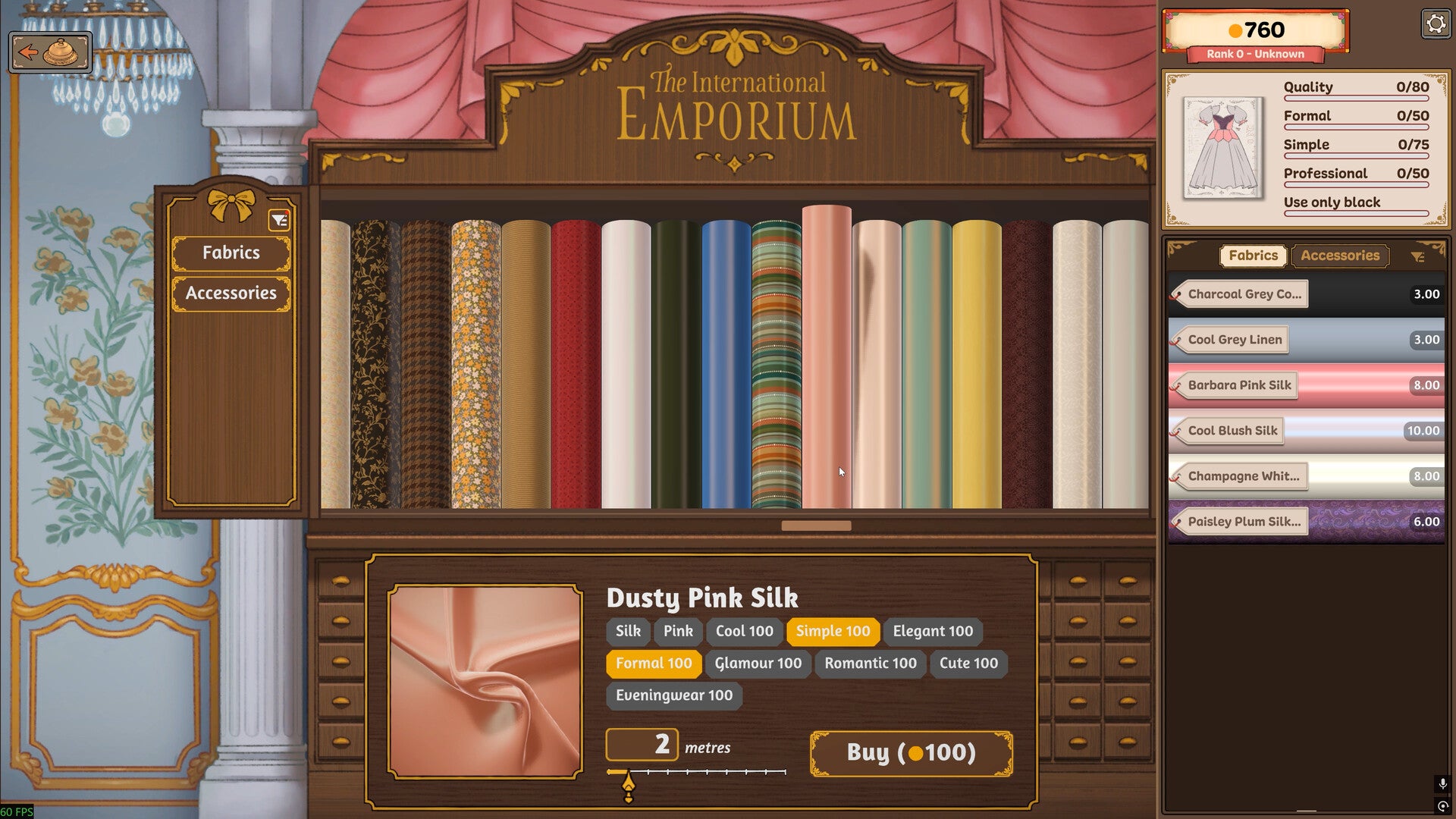
There are multiple measurement systems active within Dressmaker. The obvious is measure in the client’s chest, waist, and hips the standard of apparel measurements. You will also have to change the dress mannequin’s measurements so your fabrics hang and form correctly. I especially like the how easy it is to measure as there is a highlighted spot telling you where the tap measure should go. It’s easy for sure, but it still allows for the gamer to feel like they are doing something and not just clicking buttons. Even resizing the mannequin is easy as it is as simple as just turning a knob to match the customer’s measurements. This is not without it’s faults as sometimes getting the exact number can require some precision and finesse. Nothing to crazy, but it can cause some stress especially if you are many hours in which is super easy to do. Then you move on to the Emporium Station where you buy your materials from such as fabrics.
Speaking of the fabrics, there is so many cute designs and colors! I love so many of the designs and intricacies of the fabrics. With so many adorable patterns available to the player, you can really make some exciting pieces that you can be proud of. I enjoyed the fact that you can make your own dress and sell “off-the-rack” dress to make some extra money, which is absolutely needed in the beginning stages of the game. At the beginning you have very little money to support your little shop. I was finding myself wanting for more patters, dress designs, and fabrics that I just couldn’t afford at the time. This does calm down and levels out as you progress through the game and by the end of my many hours playing it I found myself with plenty of cash and it became a non-issue. Along with making more money as you progress into the game, you also unlock more dress choices as you progress allowing you to service your customers’ needs much easier. After your time in the store you will move on to the cutting station.
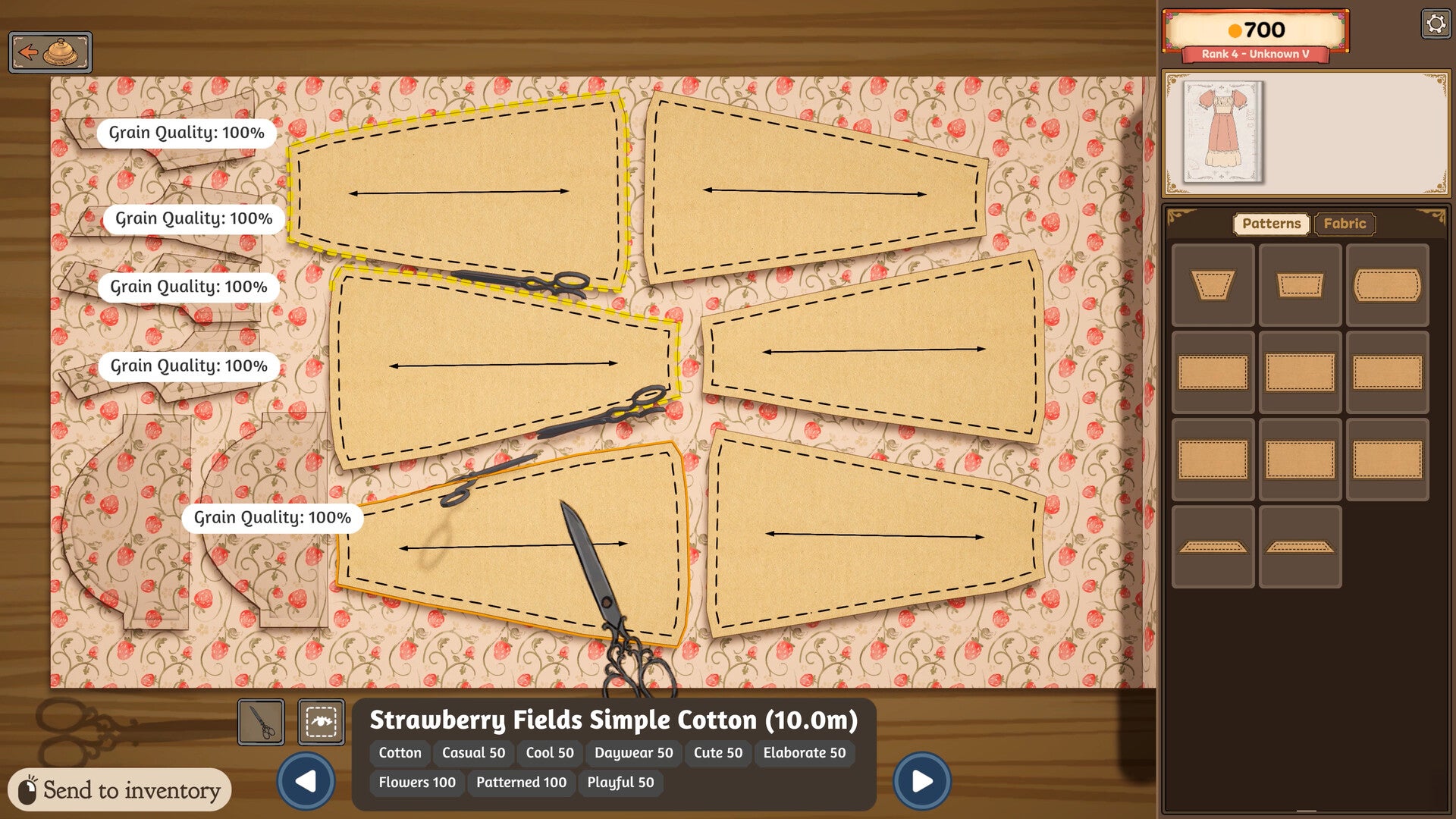
Here is where you place you dress’ patterns on you bolt of fabric. Keeping mind the patterns requirements of bias and grain you will place them down on the fabric however you need. You will need to rotate the patters eventually as your previous cuts from other dresses will stay in the bolt of fabric. I really enjoyed the simplicity of cutting out the patters. You just grab your scissors and just click on the patter and it auto cuts. After you have cut out you patters you proceed over to your mannequin to pin you fabric into place.
At the mannequin you pin down you newly cut fabric kind of alike a jigsaw puzzle. Sometimes you will need to place a certain patter down before another but it is never too complicated or intricate. After pinning you fabric pieces, you will click on the seems between each piece and it takes you to the sewing machine.
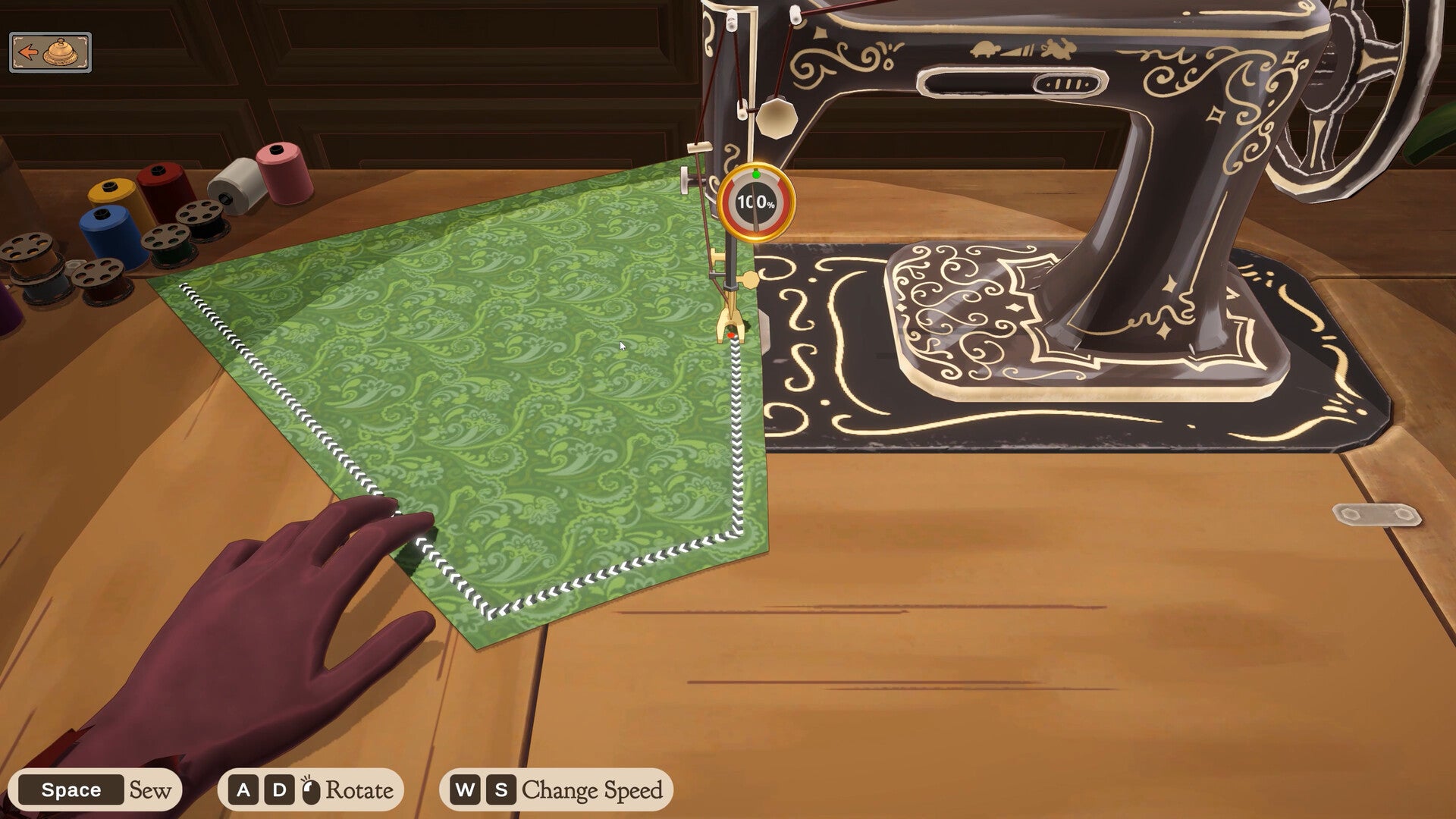
Here is where I have some positives and negative. Speaking quickly about the mechanics, you basically have the fabric pieces on the sewing machine. You move the fabric along the sewing machine foot by pressing the space bar and rotating the piece with the A and D buttons or the mouse. On the fabric along the sewing seam are black and white arrows showing you where you are sewing. Once you have completed the line you go back to you mannequin and do it again until all of your pieces are sewn. What I loved about this station was the ability to change the speed. Very much like a real sewing machine, you can adjust the speed. At first I started with the machine much slower, but as I became more comfortable with the controls I was up to almost 100%. Granted this is with the help of the Sew Assist mode on. With this option off, you will need to do all of movements with the mouse and it takes a bit to get this mechanic down. Lots of fine motor skills needed. Now that your piece is all sewn, you can apply your accessories. Generally pretty easy, but I do have some hang ups. I dislike that the lace can only be placed in short segments. I understand that lace is typically pined in short lengths, but the spool should be much longer than it is. It can also be hard to tell exactly where I am placing it on the dress especially if I am trying to put it around the cuff. After sewing your piece, you are done and ready to hand it off you your awaiting customer.
With all cozy games, the music is pretty important especially if you are play many hours on end without getting tired or stressed. I did enjoy the music here. It was flowy and soft and fit the games vibe well. I never felt overwhelmed or stressed by the music. It almost felt like the music was floating me down the river and enticing me to keep playing.
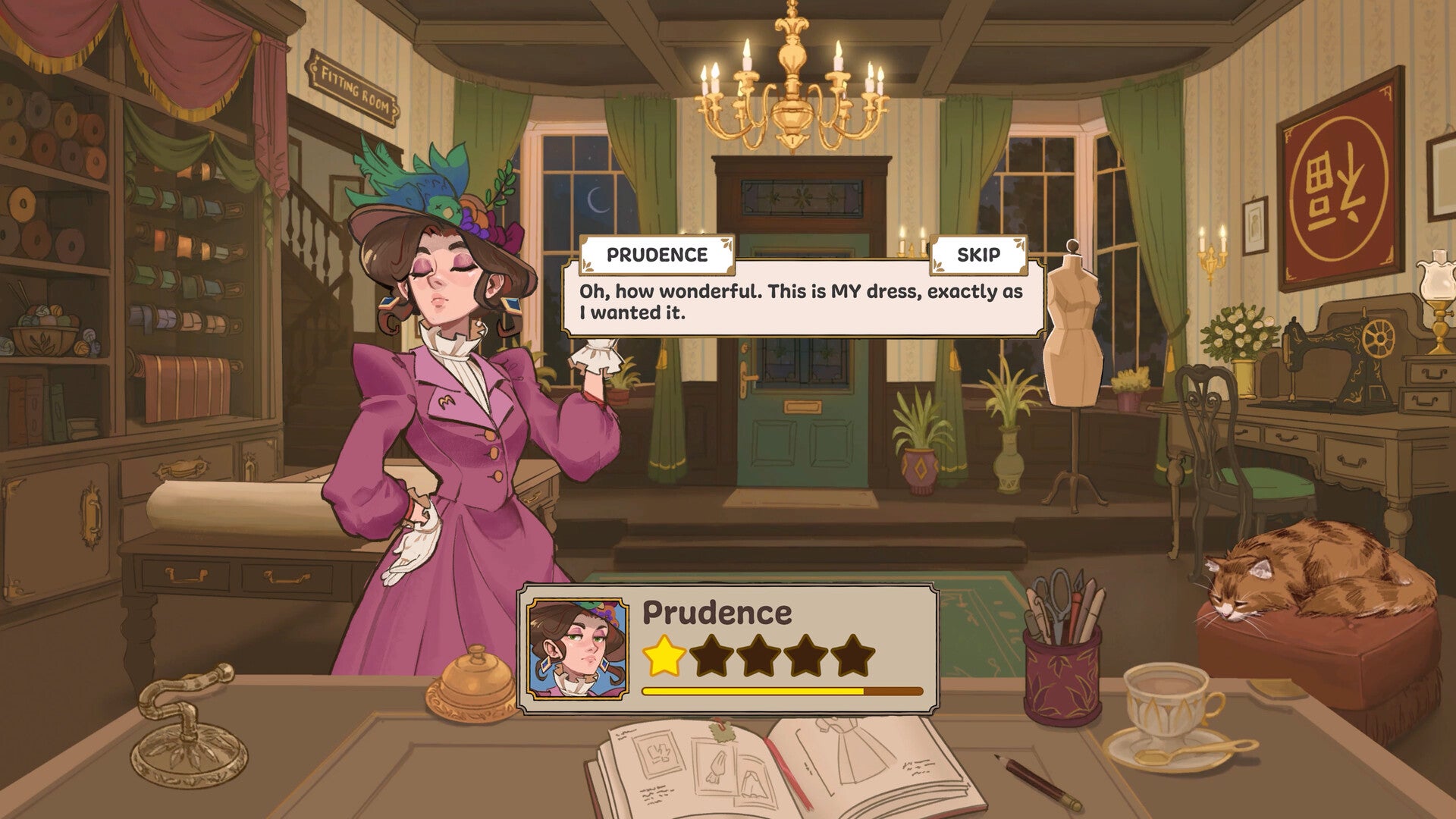
As I said previously, this game gave me Strange Horticulture vibes in a good way. The story was cute most of the time and easy to follow. It felt engaging and I typically wanted to know more about the in game characters. Some of the stories went maybe a little to far and went into the disturbing world, but nothing terrible. The talking is similar to many other cozy games where you have a speech bubble and text on screen. It is much like most other games where you click the screen to continue on and is simple and effective.
I overwhelmingly enjoyed Dressmaker during the time I had with it. This game can easily suck away hours of your day, but you will never feel like you wasted a minute.